Camera Guide — Hyrule Compendium, Sensor+ & Photography Tips
Camera Guide — Purah Pad Photography System
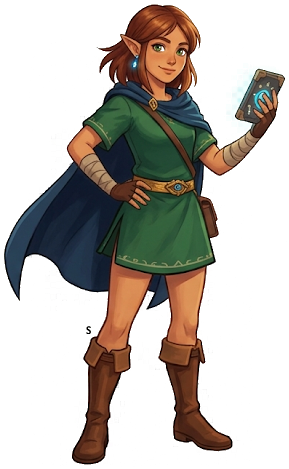
The Camera on the Purah Pad is one of TotK's most useful long-term tools. Photographing enemies, items, and materials builds the Hyrule Compendium — and unlocks Sensor+, a tracking system that guides you to specific materials anywhere in the world.
Unlocking the Camera
The Camera is NOT available from the start of the game. You unlock it by completing the Camera Work in the Depths side quest, given by Robbie at Lookout Landing.
How to unlock:
- Talk to Purah at Lookout Landing early in the game
- After unlocking the first Skyview Tower, speak to Robbie (the researcher near the northern gate)
- Robbie asks you to find his research photos in the Depths
- Follow the quest markers into the Depths near Hyrule Castle
- Photograph the Zonai ruins Robbie wants documented
- Return to Robbie — he installs the Camera on your Purah Pad
How the Camera Works
Open the Purah Pad (minus button by default) and select Camera, or use the shortcut. Point at your subject and take a photo. The photo automatically adds the subject to the Hyrule Compendium if it's a recognized entity.
What you can photograph:
- Enemies (all types, all variants)
- Materials (plants, gems, monster parts)
- Equipment (weapons, bows, shields)
- Environmental objects (cooking pots, specific items)
Tips for good shots:
- Get close — a partial photo may not register for the Compendium
- Enemies don't need to be dead; photograph them alive for full credit
- Materials on the ground register even if you haven't picked them up
- Unique items like specific weapons register only once
The Hyrule Compendium
The Compendium is your encyclopedia of everything in Hyrule. Each entry includes:
- A photo (yours or a purchased default)
- Habitat information ("Found in cold mountain regions...")
- Materials dropped (for enemies)
- Uses (for materials and foods)
- A price to purchase a default photo from Robbie (if you haven't photographed it)
Completing the Compendium
There are hundreds of entries across five categories:
- Creatures — animals, insects, frogs, fish
- Monsters — all enemy types
- Materials — plant and mineral items
- Equipment — weapons, bows, shields
- Treasure — rare drops and special items
Completing all entries takes significant time but is required for 100% completion.
Sensor+ — The Material Tracker
Once Robbie upgrades your Pad with Sensor+, you can target any Compendium entry and the sensor will beep when you're near that type of item or creature. The beeping increases in frequency as you get closer — similar to a metal detector.
How to use Sensor+:
- Open Purah Pad → Sensor+
- Select a Compendium entry to track
- The Pad will emit a directional pulse when near that target
Best uses for Sensor+:
- Dragon parts — set it to a dragon scale, shard, or claw to track the dragon's flight path
- Rare materials — sapphire, ruby, diamond locations in caves
- Elusive creatures — golden frogs, bubbulfrogs, rare animals
- Specific monster drops — track the monster type that drops the part you need
Buying Missing Compendium Photos
If you miss photographing something — or if an enemy drops into water or a chasm before you can shoot it — you can buy a default photo from Robbie at Lookout Landing or at his Akkala Tech Lab for 100 Rupees per entry.
Pro tip: Buy photos for enemies you find tedious to re-encounter so you can use Sensor+ on their materials right away.
Photography in Selfie Mode
The Purah Pad also supports a selfie/album mode for saving scenic photos. These don't register for the Compendium but are saved to your system's screenshot folder. Some players use this to document their builds, glitches, or scenic moments. The Album can be reviewed from the Purah Pad menu.
Compendium Completion Rewards
Filling out the Compendium earns recognition from Robbie and contributes to overall game completion. Several NPCs comment on your Compendium progress as it grows. For full 100% completion, every entry must be filled — whether by your own photo or a purchased image.
The Legend of Zelda: Tears of the Kingdom
Nintendo Switch — pick up your copy on Amazon
Affiliate disclosure: Hyrule Archive may earn a commission from purchases made through Amazon links on this site at no extra cost to you.