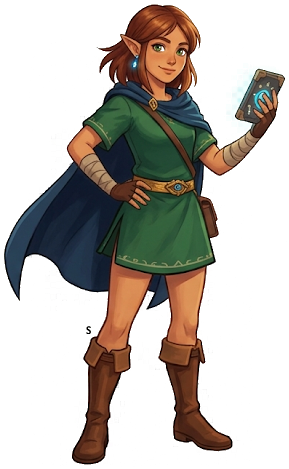
Selfie Mode Guide: TotK Photo and Camera Tips
Tears of the Kingdom has a robust camera and photography system built into the Purah Pad. Beyond cataloging the Hyrule Compendium, the camera enables creative selfies, environmental photography, and serves as an essential tool for quest objectives and Shrine/Korok detection. The Lucky Clover Gazette questline turns photography into a full side-content arc. This guide covers everything from basic controls to advanced photo strategies.
Unlocking the Camera
The Camera function on the Purah Pad is unlocked at Lookout Landing early in the main quest. Josha and Robbie direct you to activate the Skyview Tower, and in the process Robbie upgrades your Purah Pad with the Camera. After this point, the camera is always available from the Purah Pad menu.
The Camera is one of the first Purah Pad upgrades you receive — it's available before most dungeons and long before you'd need it for any serious quest. There's no reason to delay picking it up.
Basic Camera Controls
Opening and operating the camera:
- Open Camera: Purah Pad menu > Camera icon, or hold the right stick (R-stick) as a shortcut once you've used it enough to memorize the binding
- Take Photo: Press A (or ZR) to capture the shot
- Zoom: Right stick up/down adjusts zoom level — useful for compendium shots of distant enemies
- Switch to Selfie Mode: Press the right stick to flip the camera 180 degrees so it faces Link
- Adjust angle in selfie: Move the camera around Link's body using the left stick while in selfie mode
- Filters: Cycle through available filters with the D-pad while in camera mode — Normal, Sepia, Black-and-White, and Vivid are all accessible
- Save to Album: Photos save automatically to the Purah Pad Album with each capture. The album holds up to 100 photos; oldest photos are overwritten when full
Selfie Mode Tips
Selfie Mode flips the camera to face Link, letting you capture your character against Hyrule's environments. Since Link's expressions are subtle, positioning and lighting matter more than facial cues.
Composition tips:
- Position Link near a dramatic backdrop first, then switch to selfie mode — you lose environmental control once the camera flips, so frame your background before toggling
- The camera orbits around Link in selfie mode using the left stick. Rotate to find the angle where both Link and the background are well-framed
- Golden hour lighting (dawn and dusk) creates warm directional light — significantly better than harsh midday sun for portrait-style shots
- Sky island elevation with the cloud layer below and open sky above creates stunning depth-of-field style backgrounds unavailable at ground level
Outfit choices for selfies:
- Ancient Hero's Aspect: The glowing dragon overlay creates a dramatic combat portrait aesthetic
- Phantom Armor: Dark plating with glowing eyes — excellent for moody or villain aesthetic shots
- Fierce Deity Armor: Iconic white-and-red look with good visual contrast against most environments
- Climbing Gear: Practical and visually interesting against cliff face backgrounds
Filter usage:
- Sepia: Best for ruins, ancient architecture, and Depths photography — adds an aged documentary feel
- Black-and-White: Strongest for action shots and storm environments where color is already muted
- Vivid: Maximizes color saturation — ideal for sky islands, Zora's Domain waterfalls, and any scene with strong natural colors
- Normal: Best default for compendium photography where accurate color representation matters
Compendium Photography
The Hyrule Compendium requires photographing every enemy, material, weapon, and creature in the game. Completing it unlocks a reward from Robbie at Hateno Ancient Tech Lab and enables the Sensor+ function (which lets you track any registered item or creature type).
Critical rules:
- Photograph enemies before killing them — dead enemies cannot be photographed
- For rare enemies (Silver Lynels, Gleeok variants, Stone Talus subtypes), photograph before engaging. If you forget, you'll have to wait for a respawn
- Materials can be photographed from your inventory — open the item, select "Register to Compendium." No need to find them in the wild. This applies to monster parts, ores, plants, and food ingredients
- Taking a compendium photo of an enemy while it's in the middle of attacking gives you the most dynamic shot — but prioritize getting the shot over getting the perfect shot
Dragon parts entries: The four elemental dragons and the Light Dragon have separate compendium entries. Getting close enough to photograph each requires sky island or Paraglider approach. Each dragon part (horn, fang, claw, scale, shard) is a separate entry. Photograph each dragon multiple times from different angles to catch the specific part entries.
Camera Sensor — Finding Shrines and Koroks
The Camera Sensor (unlocked via Purah Pad upgrade) is one of TotK's most useful navigation tools. Once you've photographed or registered any item in the compendium, you can set the Sensor to ping when that item type is nearby.
For Shrine hunting: Register a Shrine in your compendium, set Sensor to track it. The Sensor beeps faster as you approach. This dramatically speeds up discovering undiscovered Shrines hidden underground, behind waterfalls, or inside cave systems.
For Korok Seeds: Register a Korok in the compendium (you need to find and interact with one first). The Sensor then pings near any Korok puzzle — floating acorns, pinwheel games, and rock formations all register.
This makes the Sensor one of the highest-value Purah Pad upgrades for completionists.
Lucky Clover Gazette — Photography Quests
The Lucky Clover Gazette is a newspaper headquartered near Rito Village. Speaking to the editor launches a questline where Penn, a reporter, meets you at various stable locations throughout Hyrule. Each meeting involves investigating a local news story, which typically concludes with photographing evidence of something unusual — a monster encounter, a local phenomenon, or a notable NPC.
This questline spans the entire map and gives you a reason to visit every stable. It's one of the best sources of rupees and quest rewards in the mid-game, and it naturally leads you to interesting side content at each location. Carry your camera at all times once this questline is active — Penn's quests often require photographic evidence of what you find.
The Purah Pad Album
The Album stores all photos taken and also contains pre-loaded memory photos from the Dragon's Tears quest — images that hint at Geoglyph locations. Use the album to cross-reference Geoglyph imagery with visible terrain landmarks when hunting Dragon's Tears memories.
The Album sorts chronologically with newest photos first. The 100-photo limit means dedicated compendium shooters should clear out non-compendium photos regularly to avoid losing coverage shots.
Best Photo Spots in Hyrule
- Summit of Mount Lanayru: Panoramic view of eastern Hyrule at dawn — the sunrise over the Lanayru Sea is one of the game's most visually striking moments
- Hyrule Castle Approach: The Gloom-shrouded castle at dusk, with storm effects in the background — dramatic and slightly ominous
- Light Dragon flyby: Approach Zelda-in-dragon form from a sky island at close range — the scale of the Light Dragon against the sky is breathtaking
- Depths Lightroot groves: Multiple Lightroots clustered together create glowing columns in total darkness — otherworldly photo opportunities
- Zora's Domain waterfalls: Multiple cascades with Zora architecture visible — excellent for vivid filter use
Hidden Camera Features
- Photograph Zonai Device builds mid-construction — captures the build state for reference if you want to recreate a vehicle later
- NPC conversation photography: Photographs of NPCs during dialogue capture unique expressions not visible in normal gameplay
- Night photography: Several bioluminescent creatures (certain insects, aquatic life near Zora regions) are only visible at night and glow in darkness — night shots reveal these subjects
- Dragon part photography: Get close to a dragon in flight and photograph individual body parts. Each segment (horn, fang, shard of scales) registers as a separate compendium entry, so thoroughness matters
- Photo sharing: Screenshots saved to the album also save to your Switch's standard screenshot gallery, making them shareable via the Nintendo Switch Online app or direct SD card transfer
The Legend of Zelda: Tears of the Kingdom
Nintendo Switch — pick up your copy on Amazon
Affiliate disclosure: Hyrule Archive may earn a commission from purchases made through Amazon links on this site at no extra cost to you.