Camera Work in the Depths
Camera Work in the Depths
Side Quest| Type | Side Quest |
| Region | The Depths |
| Difficulty | Medium |
| Quest Giver | Researcher at Lookout Landing |
| Est. Time | 25-45 min |
| Reward | Autobuild ability unlock |
On This Page
Quest Overview
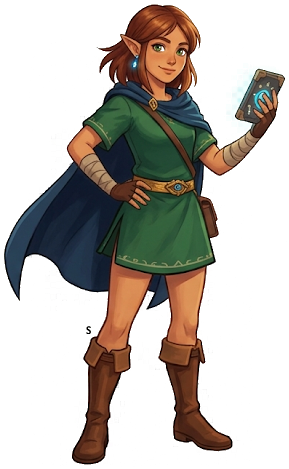
Robbie at Lookout Landing asks Link to descend into the Depths and photograph a Frox — a massive frog-like boss covered in Zonaite ore — for his creature compendium. Any Depths region works. Completing this mission rewards Rupees and advances Robbie's research questline, eventually unlocking the Sensor+ upgrade at the Purah Pad.
Moderate
Side Quest
— Nothing a prepared adventurer can't handle.
Rewards
Autobuild ability unlock
Step-by-Step Walkthrough
1
Speak with Robbie at Lookout Landing
After completing the initial main quest objectives, find Robbie in his lab at Lookout Landing. He asks you to test the Purah Pad's camera function by photographing a Frox — a massive frog-like boss creature found only in the Depths. He marks a chasm entrance on your map.
2
Descend into the Depths
Jump into the chasm near the Great Abandoned Central Mine (the large chasm directly south of Lookout Landing works well). Bring plenty of Brightbloom Seeds to light your way. The Depths are pitch black without light sources. Throw Brightbloom Seeds ahead as you explore to reveal the terrain.
3
Find and Photograph a Frox
Frox are enormous frog-like creatures that burrow in the ground. Look for rumbling ground and massive silhouettes in the dark. A reliable Frox spawns near the Great Abandoned Central Mine Lightroot. Approach carefully, open your camera, and snap a photo. You do not need to defeat the Frox — just photograph it. If it spots you, it will charge; dodge sideways and take the photo mid-combat.
4
Return to Robbie
Fast travel back to Lookout Landing and show Robbie the Frox photograph. He is thrilled with the data and rewards you with the Autobuild ability — one of the most powerful abilities in the game. Autobuild lets you instantly recreate previously built Zonai structures and vehicles from your build history, even spending Zonaite to materialize missing components.
5
Claim Your Reward
The Autobuild ability is permanently added to your ability wheel. This is arguably the most important side quest reward in the game — Autobuild saves enormous time building vehicles and machines, and becomes essential for late-game construction challenges and Depths exploration.
Pro Tips
1
Side quests often unlock unique rewards not available elsewhere. Always check the reward before skipping one.
2
Pin the quest on your map to track the objective marker while exploring.
3
Throw Brightbloom Seeds ahead of you to light the path. Attach them to arrows for long-range illumination.
4
Use your Purah Pad Sensor+ to track quest-related items and materials as you explore.

Pinned Note
Write it down before you forget!
Nearby Locations
Frequently Asked Questions
Where do I start the "Camera Work in the Depths" quest?
The "Camera Work in the Depths" quest begins in The Depths. Speak with Researcher at Lookout Landing to receive this quest.
What rewards do you get for completing "Camera Work in the Depths"?
Completing "Camera Work in the Depths" rewards you with: Autobuild ability unlock.
How hard is the "Camera Work in the Depths" quest?
"Camera Work in the Depths" has a difficulty rating of Medium (2/3). You should bring adequate supplies and mid-tier gear.
How long does "Camera Work in the Depths" take to complete?
"Camera Work in the Depths" typically takes 25-45 min to complete, depending on your exploration style and preparation.
The Legend of Zelda: Tears of the Kingdom
Nintendo Switch — pick up your copy on Amazon
Affiliate disclosure: Hyrule Archive may earn a commission from purchases made through Amazon links on this site at no extra cost to you.